
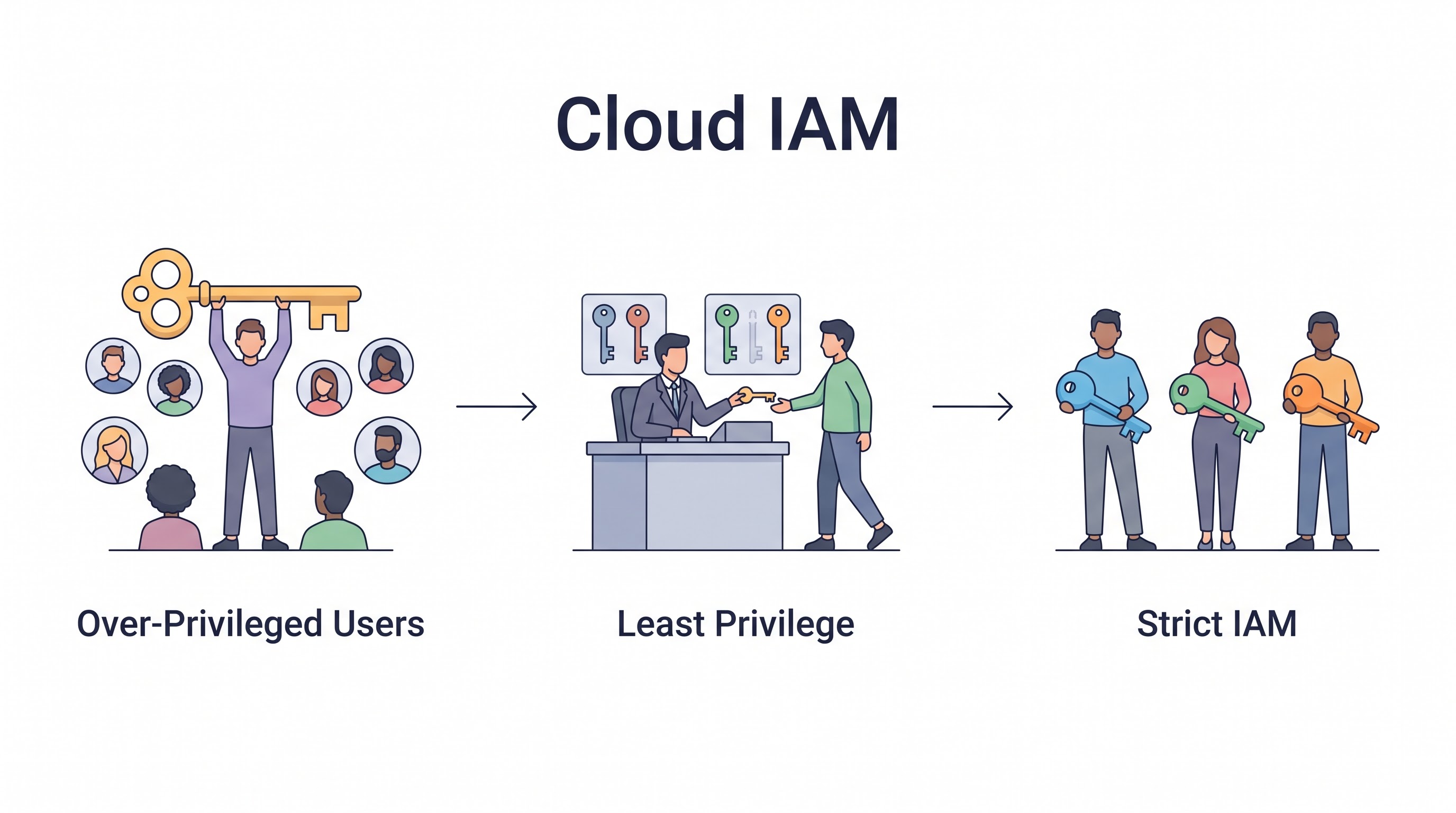
The New Perimeter is Identity
If you examine the anatomy of the most devastating cloud breaches over the last five years, a clear pattern emerges. Attackers rarely burn sophisticated zero-day exploits against cloud hypervisors. Instead, they find a leaked API key on GitHub, or compromise a low-level EC2 instance that happens to have an overly permissive Identity and Access Management (IAM) role attached to it. They use those credentials to escalate privileges, move laterally, and exfiltrate data.
In a traditional datacenter, the firewall was the perimeter. In AWS, Azure, and GCP, the network is highly porous by design. Identity is the new perimeter. A misconfigured firewall might expose a single server; a misconfigured IAM policy can expose the entire global infrastructure.
Mastering Cloud IAM is the most critical discipline in cloud security. This guide explores the advanced practices required to secure identity beyond simple passwords, moving toward temporary credentials, rigorous least privilege, and automated governance.
The Mandatory Basics: MFA and Root Accounts
Before implementing advanced architectures, the foundational controls must be flawless.
Root Accounts are Radioactive: The AWS Root account (or Azure Global Admin) possesses limitless power. It must be secured with a complex password and a hardware MFA token (FIDO2/YubiKey), and locked in a physical safe. It should never be used for daily operational tasks. Any login via the Root account should trigger an immediate, high-priority incident response alert.
Ubiquitous MFA: Multi-Factor Authentication is non-negotiable for 100% of human users accessing the cloud console.
The Death of Static Access Keys
Static access keys (e.g., AWS AKIA... keys) are the bane of cloud security. They are passwords that never expire. Developers embed them in scripts, hardcode them into applications, and accidentally commit them to public Git repositories.
The Best Practice: Eradicate static keys for human users entirely.
Instead of creating IAM users with permanent access keys within the cloud provider, organizations must use Identity Federation (Single Sign-On). Users authenticate against a central Identity Provider (IdP) like Okta, Microsoft Entra ID, or Google Workspace using MFA. The IdP then assumes an IAM Role in the cloud provider, granting the user a temporary STS (Security Token Service) token that expires after a few hours.
If a temporary token is accidentally leaked, the window of exposure is minimal compared to a permanent access key.
The Reality of Least Privilege
The Principle of Least Privilege (PoLP) dictates granting users and services only the permissions necessary to perform their exact tasks. In practice, achieving PoLP is incredibly difficult. Developers frequently request AdministratorAccess or s3:* because crafting precise JSON IAM policies is tedious and blocks their velocity.
Strategies for Enforcing Least Privilege:
Start Strict: Never grant
*.*permissions in development environments. If developers build an application using admin rights, migrating that application to a locked-down production environment will inevitably break it.Use Managed Policies (Carefully): Cloud providers offer pre-built managed policies (e.g.,
AmazonS3ReadOnlyAccess). While better than full admin, these are still broadly scoped. Use them as a starting point, but transition to custom, highly scoped policies for production workloads.Automated Policy Generation: Tools like AWS IAM Access Analyzer can monitor the actual API calls made by a workload over a period of time and automatically generate a fine-grained IAM policy containing only the permissions that were actually used. This is the most effective way to lock down overly permissive roles.
Securing Machine Identities (Roles)
Human access is only half the battle. The vast majority of API calls in a cloud environment are made by machines (EC2 instances, Lambda functions, Kubernetes pods).
Never embed credentials in instances. An EC2 instance should never have an AWS access key stored in a configuration file. Instead, assign an IAM Role to the instance profile. The AWS infrastructure handles delivering temporary, rotating credentials to the instance automatically.
Service-Specific Roles: Do not share roles. If you have five different microservices, create five distinct IAM roles. If Microservice A only needs to read from S3, and Microservice B only needs to write to DynamoDB, sharing a role compromises both if one service is breached.
Kubernetes IAM (IRSA): In Amazon EKS, do not assign a broad IAM role to the underlying worker nodes. Use IAM Roles for Service Accounts (IRSA) to map specific AWS IAM roles directly to specific Kubernetes Pods. This ensures a compromised pod cannot access the permissions of other pods running on the same node. Refer to the Kubernetes Management Guide for structural details.
Mastering Cross-Account Access
Enterprise environments rarely operate in a single cloud account. They operate across dozens or hundreds of accounts within an AWS Organization or Azure Management Group.
The Golden Rule: Never use long-term credentials for cross-account access.
If an application in Account A needs to access an S3 bucket in Account B, you should not create an IAM user in Account B and give the keys to Account A. Instead, create an IAM Role in Account B that trusts Account A. The application in Account A can then temporarily AssumeRole into Account B. This establishes a secure, auditable, and temporary chain of trust.
Continuous IAM Review and Automation
IAM is not a "set and forget" configuration. Permissions accumulate over time. An engineer is granted access to a production database to troubleshoot an incident, and that access remains open for years.
Access Reviews: Conduct quarterly audits of all human and machine permissions. This is a mandatory requirement for SOC 2 and ISO 27001 compliance.
Automated Cleanup: Utilize scripts or CSPM platforms to identify and automatically delete IAM roles or users that have not been used in 90 days.
Policy-as-Code Guardrails: Use AWS Service Control Policies (SCPs) to establish hard boundaries that even administrators cannot cross. For example, an SCP can deny any user the ability to disable CloudTrail, or deny the creation of IAM users, forcing everyone to use SSO.
Key Takeaway
In the cloud, IAM is the ultimate security boundary. Organizations must aggressively eliminate static access keys, relying entirely on identity federation and short-lived tokens. Enforcing strict least privilege is difficult but mandatory, requiring the segregation of machine identities and the use of automated tools to analyze and restrict overly permissive policies continuously. Assume that network boundaries will fail; rely on identity to protect the data.
All in One Place
Atler Pilot decodes your cloud spend story by bringing monitoring, automation, and intelligent insights together for faster and better cloud operations.