
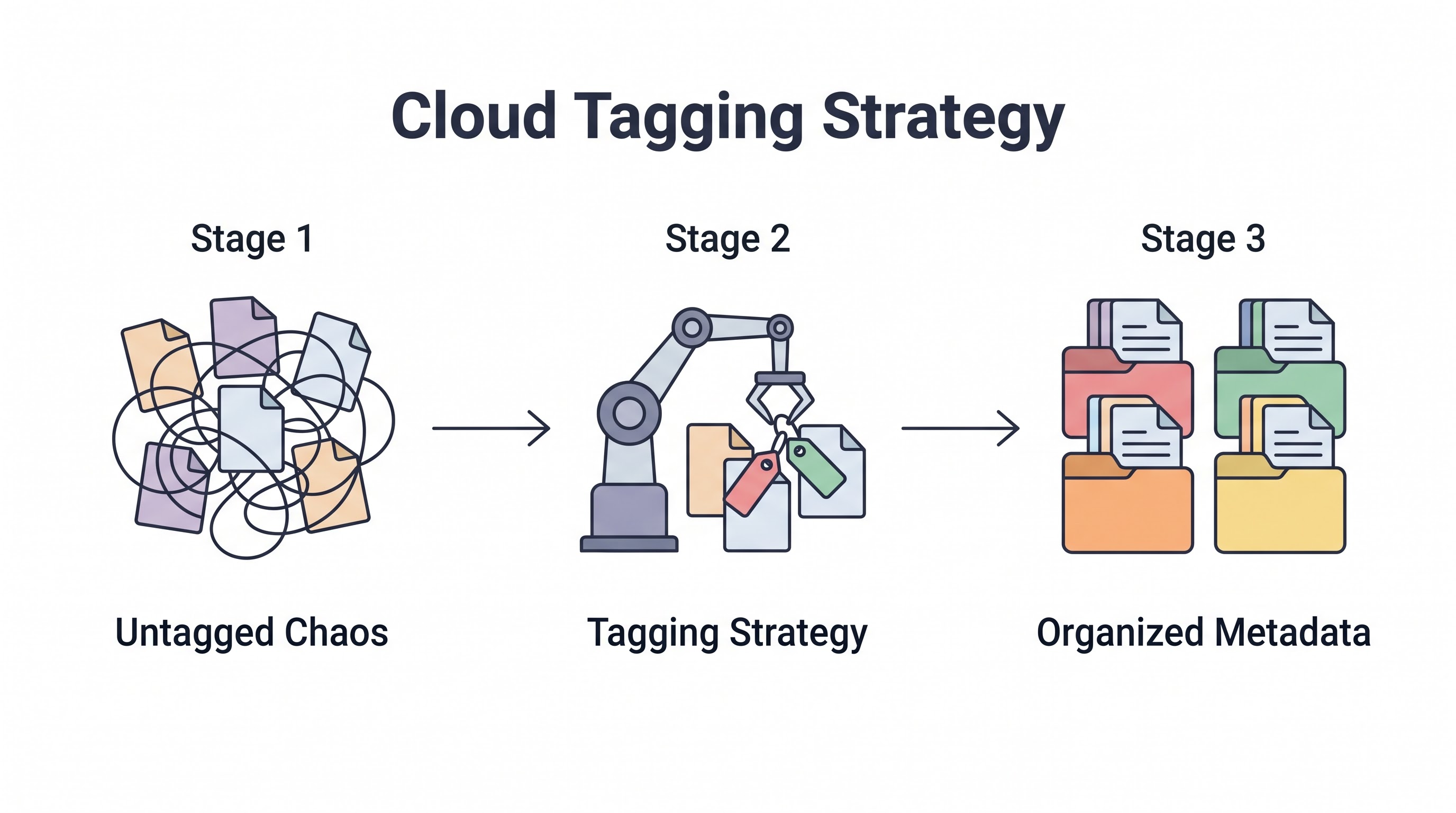
Why Tags Are the Foundation of Everything
Cloud resource tagging is not glamorous work. Nobody gets promoted for implementing a tagging policy. No conference talk about tag enforcement has ever gone viral. But tagging is the single most important foundational practice in cloud financial management, and every organization that skips it or implements it half-heartedly pays for that decision through every subsequent phase of their FinOps program.
Without consistent tags, you cannot answer the most basic questions about cloud spend: Which team owns this resource? Which project is this supporting? Is this production or development? When the CFO asks "why did our cloud bill increase by $40,000 this month?", the answer requires cost attribution — and cost attribution requires tags. Without them, you are reduced to manually correlating account structures, VPC configurations, and naming conventions to guess which team is responsible for the increase. That guessing process takes days instead of minutes.
Tags enable six critical capabilities in a mature FinOps program:
Cost allocation — attributing spend to teams, projects, and cost centers
Showback and chargeback — reporting or billing internal teams for their cloud consumption
Anomaly detection — identifying unusual spend patterns at the team or project level rather than just the account level
Optimization targeting — directing rightsizing recommendations and cost saving tips to the team responsible for acting on them
Environment management — distinguishing production from non-production for scheduling automation and change management policies
Security and compliance — identifying resources subject to specific regulatory requirements (PCI, HIPAA, SOC 2) based on classification tags
Target 95% tagging coverage across all cloud environments. Below that threshold, the data gaps undermine confidence in every report and analysis built on tag-based allocation.
Designing a Tagging Taxonomy That Works
A tagging taxonomy defines which tags are required, which are optional, what values are permitted for each tag, and how tags relate to organizational structures. The most common mistake is designing an overly ambitious taxonomy with 15+ required tags. Compliance drops as the number of required tags increases because each additional tag represents friction in the deployment process. Start with the minimum viable taxonomy and expand deliberately.
Recommended Minimum Required Tags
Tag Key | Purpose | Enforced Values? | Examples |
|---|---|---|---|
| Cost ownership and accountability | Yes — from approved team list | platform, data-eng, ml-team, frontend, payments |
| Lifecycle stage for scheduling and change mgmt | Yes — fixed list | production, staging, development, sandbox, shared |
| Financial mapping to corporate chart of accounts | Yes — from finance system | CC-1001, CC-2045, CC-3099 |
Recommended Optional Tags
Tag Key | Purpose | Examples |
|---|---|---|
| Granular project-level attribution | checkout-v2, search-rewrite, data-lake-migration |
| Application identity for multi-tier stacks | api-gateway, user-service, analytics-pipeline |
| Provisioning method for lifecycle tracking | terraform, cloudformation, manual, pulumi |
| Operating hours for environment scheduling | business-hours, extended-hours, always-on |
| Security classification for compliance | public, internal, confidential, restricted |
Tag Key Naming Conventions
Establish naming conventions before any tags are applied and enforce them consistently:
Use lowercase with hyphens:
cost-centernotCostCenterorcost_centerAWS tags are case-sensitive —
Teamandteamare different tags. Standardize on one casing.Azure tags are case-insensitive for tag names but case-sensitive for values
GCP labels (their equivalent of tags) must be lowercase and can only contain hyphens, underscores, and alphanumeric characters
Document the taxonomy in a wiki page or internal documentation site that serves as the single source of truth. Include approved values for enforced tags, update procedures, and the approval process for adding new teams or cost centers to the permitted values list.
Enforcement Mechanisms Across Providers
A tagging policy without enforcement is a suggestion. Suggestions do not achieve 95% compliance in engineering organizations with competing priorities and deployment velocity pressure. Enforcement must be preventive — blocking resource creation when required tags are missing — not just detective — finding untagged resources after the fact.
AWS Enforcement
Service Control Policies (SCPs) are the primary enforcement mechanism in AWS Organizations. An SCP attached to an organizational unit can deny specific API actions when required tags are absent:
{
  "Version": "2012-10-17",
  "Statement": [{
    "Sid": "DenyUntaggedEC2",
    "Effect": "Deny",
    "Action": ["ec2:RunInstances"],
    "Resource": ["arn:aws:ec2:*:*:instance/*"],
    "Condition": {
      "Null": {
        "aws:RequestTag/team": "true",
        "aws:RequestTag/environment": "true",
        "aws:RequestTag/cost-center": "true"
      }
    }
  }]
}
AWS Config Rules provide detective compliance checking for resources that bypassed SCP enforcement or were created before the policy was active. The required-tags managed rule evaluates resources against a list of required tags and reports non-compliant resources.
Azure Enforcement
Azure Policy with the "Require a tag and its value on resources" built-in policy definition blocks resource creation or modification when required tags are missing. Apply at the Management Group or Subscription level:
{
  "properties": {
    "displayName": "Require team tag on resources",
    "policyType": "BuiltIn",
    "mode": "Indexed",
    "parameters": {
      "tagName": {"value": "team"},
      "tagValue": {"value": ""}
    }
  }
}
Azure Policy also supports "Inherit a tag from the resource group" to automatically apply resource group tags to child resources, reducing the tagging burden on individual resource deployments.
GCP Enforcement
GCP Organization Policies do not natively support label enforcement at the same granularity as AWS SCPs or Azure Policy. Use guardrail automation or custom Cloud Functions triggered by Cloud Audit Logs to detect and remediate unlabeled resources. Terraform module standards with required variable blocks for labels provide preventive enforcement in IaC-managed environments.
Automating Tag Application and Inheritance
Manual tagging does not scale. Engineers deploying infrastructure through Terraform, CloudFormation, ARM templates, CLI commands, and occasionally the web console will not consistently remember to apply five tags to every resource unless the tagging is automated into the deployment process.
Infrastructure-as-Code Integration
The highest-leverage automation point is the IaC layer. If your Terraform modules include default tag blocks that pull from centralized variable files, every resource deployed through those modules receives correct tags without any additional engineer effort:
# Terraform: Centralized default tags
provider "aws" {
  region = var.aws_region
  default_tags {
    tags = {
      team        = var.team_name
      environment = var.environment
      cost-center = var.cost_center
      managed-by  = "terraform"
    }
  }
}
With default_tags configured at the provider level, every resource created by that provider configuration inherits the tags automatically. Engineers can add additional resource-specific tags, but the required organizational tags are always present.
Tag Inheritance and Propagation
Several AWS services create child resources that do not automatically inherit parent tags:
Auto Scaling Groups — configure tag propagation by setting
propagate_at_launch = trueon each tag to ensure launched instances inherit ASG tagsECS Tasks — enable tag propagation in the ECS service definition to ensure tasks launched by a service inherit the service tags
CloudFormation stacks — use stack-level tags to propagate to all resources within the stack
Configure inheritance at every level where parent-child resource relationships exist. Silent tag inheritance gaps are one of the most common reasons tagging compliance plateaus at 75%–85% despite enforcement policies on direct resource creation.
Measuring and Reporting Tagging Compliance
You cannot improve what you do not measure. Tagging compliance should be tracked as a percentage and reported weekly to maintain organizational attention and accountability.
Calculate compliance as: (Resources with all required tags) / (Total taggable resources) × 100
Not all resources are taggable. AWS Cost Allocation Tags, Azure tags, and GCP labels have limitations on which resource types support tagging. Your compliance calculation should only include resource types that support tagging.
Build a compliance dashboard showing:
Overall compliance percentage trending over time (weekly data points)
Compliance broken down by team — this creates social accountability
Compliance broken down by tag key — reveals which tags are consistently missing
Top offending resource types — shows where automation gaps exist
Send weekly compliance reports to team leads via Slack or email. Include specific resource IDs for non-compliant resources so teams can take immediate action. Generic "your compliance dropped" notifications without actionable detail get ignored.
Remediating Existing Untagged Resources
Most organizations implementing tagging for the first time have thousands of existing untagged resources. Retroactive tagging is necessary but should not block forward progress on enforcement.
Prioritized Remediation Approach
Tag the top 20% of resources by cost. The Pareto principle applies — a small percentage of resources generate the majority of cost. Tagging the most expensive resources first delivers the most cost attribution value fastest.
Use automated tagging tools for bulk remediation. CloudAtler's automated tagging can apply tags based on account ownership, VPC association, naming patterns, and resource group membership — dramatically accelerating the remediation of existing resources.
Accept imperfect coverage on legacy resources. Resources that are candidates for decommissioning — instances stopped for 60+ days, unattached volumes, snapshots of deleted instances — do not justify the effort of retroactive tagging. Delete them instead.
Multi-Cloud Tagging Consistency
Multi-cloud environments face an additional challenge: maintaining consistent tagging across providers that have different tagging capabilities, naming constraints, and enforcement mechanisms. AWS tags, Azure tags, and GCP labels use different syntax and have different limitations:
Capability | AWS Tags | Azure Tags | GCP Labels |
|---|---|---|---|
Max tags per resource | 50 | 50 | 64 |
Key max length | 128 chars | 512 chars | 63 chars |
Value max length | 256 chars | 256 chars | 63 chars |
Case sensitivity (keys) | Case-sensitive | Case-insensitive | Lowercase only |
Special characters | Most UTF-8 | Most UTF-8 | Lowercase, hyphens, underscores only |
The GCP label constraint on lowercase and limited characters is the binding constraint for multi-cloud consistency. Design your taxonomy using only lowercase keys with hyphens, and keep key and value lengths under 63 characters. This ensures the same taxonomy works across all three providers without modification.
Use a unified cloud management dashboard that normalizes tags across providers so that cost allocation reports show consistent team and project attribution regardless of which cloud the resources run in.
Making Tagging Part of Engineering Culture
Technical enforcement catches most tagging gaps, but cultural adoption ensures engineers understand why tags matter and actively support the practice rather than viewing it as bureaucratic overhead to work around.
Include tagging compliance in onboarding. New engineers should understand the tagging taxonomy, know where to find approved values, and complete a brief exercise applying tags to a practice deployment during their first week.
Make compliance data visible. Display team-level tagging compliance alongside other engineering metrics on team dashboards. Teams that see their compliance dropping relative to peers self-correct without management intervention.
Explain the business value. Engineers who understand that tags enable the cost showback that keeps their team's budget allocation fair are more motivated to tag correctly than engineers who see tagging as an arbitrary IT mandate.
Reduce tagging friction to near zero. If IaC templates handle tagging automatically, engineers rarely need to think about tags at all. The best tagging cultures are ones where correct tagging happens by default and requires effort only to override.
Tagging Mistakes That Undermine the Entire Program
Requiring too many tags at launch. Starting with 10+ required tags creates immediate compliance resistance and slows deployment velocity. Start with 3 required tags. Add more only after achieving 95% compliance on the initial set.
Free-text tag values without validation. If the
teamtag allows any string value, you will end up with "platform", "Platform", "platform-team", "platform_team", and "plat" all representing the same team. Enforce approved values through SCPs or policy definitions.Not tagging resources created outside IaC. Console-created resources, CLI one-liners, and resources deployed by third-party tools all bypass IaC tagging defaults. Detective controls (AWS Config Rules, Azure Policy audit mode) must catch these gaps.
Ignoring tag propagation gaps. Auto Scaling Groups, ECS services, and other orchestrators create resources dynamically. If tag propagation is not configured, every dynamically created resource is untagged despite the parent resource having correct tags.
Treating tagging as a one-time project. Teams change. Projects end. New cost centers are created. The tagging taxonomy requires ongoing maintenance — quarterly reviews of approved values, removal of deprecated team names, addition of new projects. Assign a specific owner for taxonomy maintenance.
Key Takeaway
Cloud tagging is the unglamorous foundation that enables every other FinOps capability — cost allocation, anomaly detection, optimization targeting, and accountability. Design a minimal taxonomy (3 required tags), enforce preventively via policy-as-code, automate through IaC default tags and inheritance configuration, and track compliance weekly with team-level reporting. Target 95% coverage as the minimum viable threshold. Organizations that skip or underfund tagging spend years fighting data quality problems that make every subsequent optimization effort harder, slower, and less trustworthy.
All in One Place
Atler Pilot decodes your cloud spend story by bringing monitoring, automation, and intelligent insights together for faster and better cloud operations.