
Introduction: Why OCI Has Become the Premier Destination for AI
The computational demands of modern artificial intelligence—specifically large language models (LLMs), diffusion models, and deep reinforcement learning—have exposed the limitations of traditional cloud architectures. Standard hypervisor virtualization, shared network interfaces, and storage bottlenecks introduce latency and jitter that severely degrade training efficiency. When training a model across hundreds or thousands of GPUs, even a fraction of a millisecond of network latency can cause massive synchronization delays during gradient aggregation phases (such as AllReduce operations).
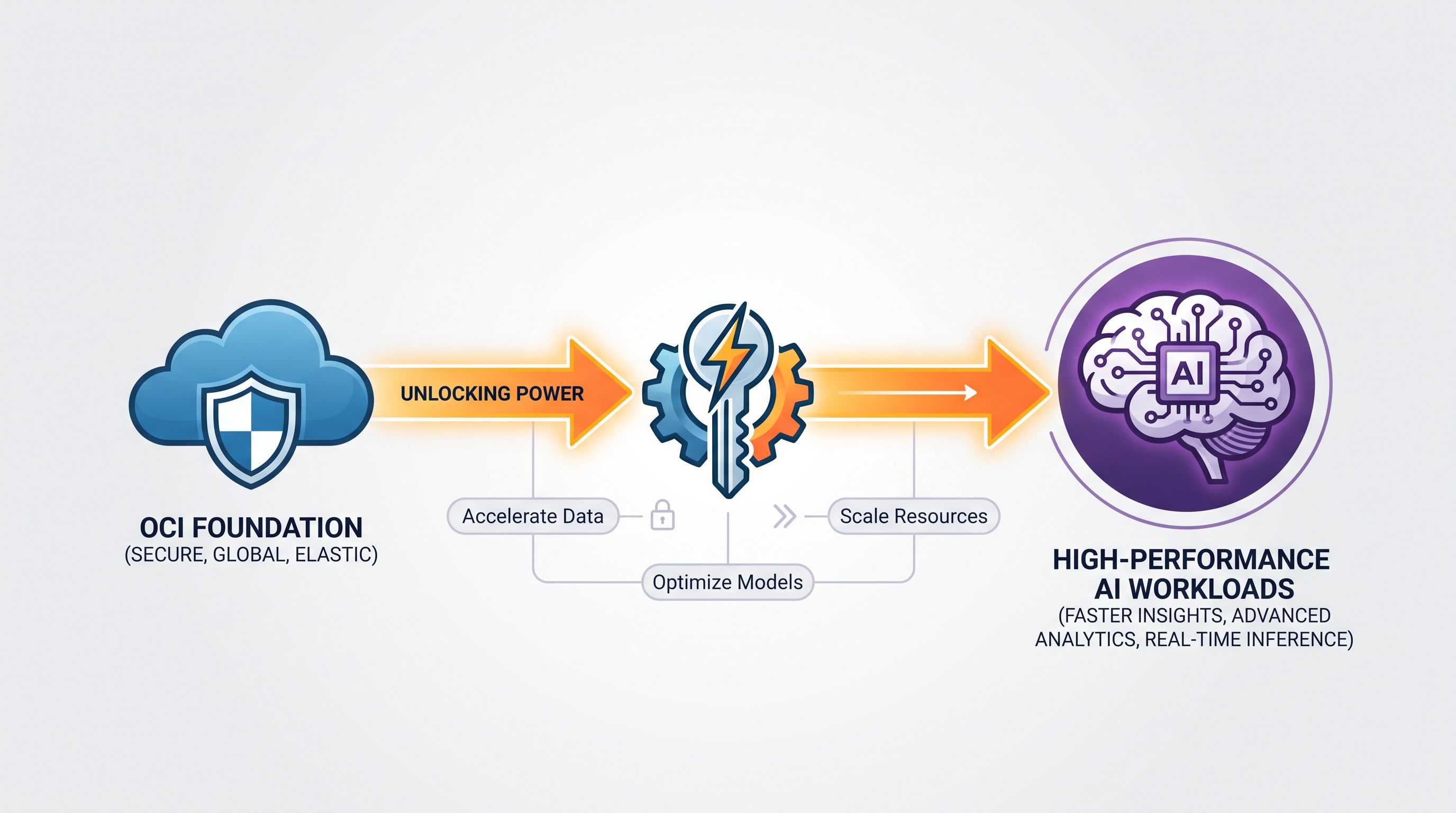
Oracle Cloud Infrastructure (OCI) has quietly emerged as a premier destination for high-performance AI workloads. Unlike legacy cloud providers that retrofitted their existing virtualized environments for GPUs, OCI designed its cloud architecture from the ground up to support bare-metal instances, dedicated physical networking, and non-blocking Clos network topologies. By eliminating the hypervisor overhead and offering direct, raw hardware access, OCI delivers near-metal performance that is critical for training complex neural networks.
However, running high-performance AI workloads on OCI introduces significant operational challenges. The sheer cost of renting hundreds of NVIDIA H100 or A100 Tensor Core GPUs demands rigorous financial governance. At the same time, the sensitivity of the training datasets and proprietary model weights requires robust, enterprise-grade security controls. This article provides a deep technical exploration of OCI’s AI infrastructure, delivers an actionable architectural blueprint for deploying an AI training cluster, and demonstrates how to implement comprehensive FinOps and security strategies across your multi-cloud environment.
1. The Infrastructure Architecture of OCI for AI Workloads
To understand why OCI excels at AI workloads, we must examine its three foundational pillars: bare-metal compute shapes, RDMA (Remote Direct Memory Access) over Converged Ethernet (RoCE v2) networking, and off-box virtualization.
Bare-Metal GPU Compute Shapes
OCI's primary advantage lies in its bare-metal instances. In a virtualized environment, the hypervisor (such as KVM or Xen) consumes a portion of the host's CPU and memory resources to manage VMs and emulate hardware. This introduces CPU scheduling latency and intercepts I/O paths. For GPU workloads, this virtualization layer can degrade data transfer speeds between the host system memory and the GPU memory (VRAM) via the PCIe bus.
OCI's bare-metal instances, such as the BM.GPU.H100.8, eliminate the hypervisor entirely. This shape features:
8x NVIDIA H100 Tensor Core GPUs with 80 GB of HBM3 memory per GPU (640 GB total GPU memory).
NVIDIA NVSwitch interconnects inside the chassis, providing 3.2 TB/s of bi-directional bandwidth between the local GPUs.
Dual 112-core Intel Xeon Platinum 8480+ processors or AMD EPYC equivalent.
2 TB of system RAM.
8x 400 Gbps (3.2 Tbps total) RoCE v2 network interfaces for inter-node communication.
By deploying on bare metal, your training scripts run directly on the silicon, ensuring predictable execution times and maximum utilization of the Tensor Cores.
RDMA over Converged Ethernet (RoCE v2) Cluster Networks
When scaling AI training horizontally across multiple nodes, the network interface card (NIC) becomes the ultimate bottleneck. Traditional TCP/IP networking stack processing is highly CPU-intensive. Every packet must go through the OS kernel, requiring context switches, buffer copies, and interrupt handling. This introduces latency spikes and limits throughput.
OCI solves this by utilizing RoCE v2 (RDMA over Converged Ethernet). RDMA allows a GPU on one server to write directly to the memory of a GPU on another server without involving the operating system or CPU of either host. The data transfer occurs directly between the network cards, bypassing the kernel network stack completely.
OCI implements this via its Cluster Networks. OCI deploys a dedicated, non-oversubscribed, non-blocking Clos network fabric. This means that every bare-metal node in a cluster network has a dedicated, physical path to every other node with a guaranteed latency of under 2 microseconds. The physical network utilizes Priority Flow Control (PFC) and Explicit Congestion Notification (ECN) to guarantee lossless Ethernet delivery, which is mandatory for RoCE v2 to function without packet loss.
Off-Box Virtualization (SmartNICs / DPUs)
OCI's proprietary architecture relies on "off-box virtualization." Instead of running the storage, network, and security virtualization software on the physical host's CPU, OCI offloads these management tasks to dedicated SmartNICs (Data Processing Units or DPUs) embedded in the physical rack.
This design choice has two major benefits for AI workloads:
Zero Resource Stealing: 100% of the CPU cores, system memory, and PCIe lanes are dedicated to your AI workload. There are no background management agents consuming cycles.
Enhanced Security: The host OS is completely isolated from the cloud control plane. Even if an attacker compromises your bare-metal instance at the root level, they cannot access the cloud network or storage control planes, as those run on physically separate DPU hardware.
2. Architectural Blueprint: Designing an AI Training Cluster on OCI
To deploy an enterprise-grade AI training cluster on OCI, you must carefully orchestrate compute, network, and storage. Below is a detailed, production-ready architectural blueprint.
Network Topology and VCN Setup
A production-ready training network requires two distinct physical networks:
Management Network: A standard OCI Virtual Cloud Network (VCN) used for administrative traffic, code deployment, monitoring, and logging. This traffic routes through standard virtual NICs (VNICs).
Data/Cluster Network: A dedicated, backend network using physical RoCE v2 interfaces. This network has no access to the public internet and does not route through standard virtualized gateways. It is strictly used for inter-node GPU synchronization.
Here is an architectural Terraform example showing how to define a Cluster Network resource in OCI using the oci_core_cluster_network resource provider:
# Define the OCI Cluster Network
resource "oci_core_cluster_network" "ai_training_cluster" {
  compartment_id = var.compartment_id
  display_name   = "ai-training-cluster-01"

  instance_pools {
    instance_configuration_id = oci_core_instance_configuration.ai_node_config.id
    size                      = 16 # Deploying 16 Bare-Metal Nodes (128 GPUs)
    display_name              = "ai-node-pool"
  }

  placement_configuration {
    availability_domain = var.availability_domain
    primary_subnet_id   = oci_core_subnet.management_subnet.id
  }
}

# Instance Configuration for the Bare-Metal GPU Nodes
resource "oci_core_instance_configuration" "ai_node_config" {
  compartment_id = var.compartment_id
  display_name   = "bm-gpu-h100-config"

  instance_details {
    instance_type = "compute"
    launch_details {
      compartment_id      = var.compartment_id
      shape               = "BM.GPU.H100.8"
      availability_domain = var.availability_domain

      source_details {
        source_type = "image"
        image_id    = var.gpu_optimized_image_id # Custom OCI GPU image with CUDA/NCCL pre-configured
      }

      # Primary VNIC attached to the Management Subnet
      create_vnic_details {
        subnet_id              = oci_core_subnet.management_subnet.id
        assign_public_ip       = false
        nsg_ids                = [oci_core_network_security_group.management_nsg.id]
        skip_source_dest_check = true
      }
    }
  }
}
Storage Architecture: Meeting the I/O Demands of AI
An AI training pipeline consists of three primary phases, each placing distinct demands on your storage subsystem:
Dataset Ingestion: Requires high sequential read throughput to stream training datasets (images, text corpora, video files) to the system memory.
Checkpointing: Requires massive write throughput. Every few epochs, the training framework (e.g., PyTorch Lightning, Megatron-LM) serializes and writes the state of the model weights, optimizer states, and gradients to disk. This prevents data loss if a node fails. If checkpointing is slow, the entire GPU cluster sits idle waiting for I/O to complete.
Model Validation: Evaluates model performance, requiring fast random read access to validation datasets.
To satisfy these requirements, a hybrid storage architecture is recommended:
OCI File Storage Service (FSS) with High-Performance Mount Targets: Use FSS to store training scripts, configuration files, and active model checkpoints. FSS scales capacity and performance dynamically, delivering up to tens of gigabytes per second of throughput and hundreds of thousands of IOPS.
Scratch Space (Local NVMe SSDs): OCI bare-metal GPU shapes come equipped with multiple terabytes of ultra-fast local NVMe SSDs. Configure these drives in a RAID 0 array on each node to act as a high-speed local cache for active dataset batches during training. This minimizes network storage reads.
OCI Object Storage: Use Object Storage as your primary data lake. Archive raw datasets and historical model checkpoints here. Stream datasets from Object Storage to local NVMe arrays during initialization, or mount Object Storage buckets directly using high-performance user-space filesystems like
Goofysors3fstuned for OCI endpoints.
3. FinOps Strategies for OCI AI Workloads
The financial reality of running high-performance AI workloads is stark. A cluster of 128 NVIDIA H100 GPUs running continuously can burn through hundreds of thousands of dollars per month. Without aggressive financial governance, cost overruns can quickly jeopardize a project. Implementing an enterprise-grade FinOps practice is mandatory.
The Cost Challenge: Universal Credits and Commitments
OCI operates primarily on a Universal Credits (UC) model. Customers purchase a set amount of credits upfront, which can be applied to any OCI service in any region. While this model offers flexibility, tracking consumption across multiple dynamic AI clusters is difficult. If a data scientist leaves a 64-GPU training cluster running over the weekend without active training, the cost impact is immediate and irreversible.
To manage this complexity, enterprises should adopt a unified management platform. Using a Financial Command Center allows cloud financial managers to visualize OCI spend alongside other providers like AWS, Azure, and GCP, providing a single source of truth for multi-cloud AI infrastructure costs.
Optimizing Commitments
OCI offers substantial discounts for long-term commitments through their Annual Universal Credits program. However, locking in a multi-year commitment for specific hardware shapes is risky, given the rapid pace of hardware innovation (e.g., transitioning from H100s to B200s).
To mitigate this risk, leverage commitment intelligence capabilities to analyze historical utilization patterns, predict future capacity requirements, and calculate the optimal blend of committed-use contracts versus on-demand billing. This ensures you maintain financial agility while maximizing OCI discount tiers.
Actionable FinOps Tactic: Automated Idle GPU Detection
One of the most effective ways to reduce waste in AI workloads is to build automated systems that identify and terminate idle GPU instances. Data science environments (like JupyterHub or custom training containers) often remain active long after a training run has failed or completed.
You can deploy a lightweight monitoring agent on every OCI bare-metal GPU node to query the local GPU utilization via the nvidia-smi CLI tool. Below is an actionable Bash script that runs as a cron job on the bare-metal host, checks for GPU utilization, and pushes a metric to the OCI Monitoring service if the cluster is idle:
#!/bin/bash
# idle_gpu_detector.sh
# Checks if GPU utilization has been below 5% for the last 30 minutes

THRESHOLD=5
IDLE_LIMIT_SECONDS=1800
IDLE_STATE_FILE="/tmp/gpu_idle_duration"

# Query nvidia-smi for the maximum utilization across all local GPUs
MAX_UTIL=$(nvidia-smi --query-gpu=utilization.gpu --format=csv,noheader,nounits | sort -n | tail -1)

if [ "$MAX_UTIL" -lt "$THRESHOLD" ]; then
    if [ ! -f "$IDLE_STATE_FILE" ]; then
        echo "$(date +%s)" > "$IDLE_STATE_FILE"
    else
        FIRST_IDLE_TIME=$(cat "$IDLE_STATE_FILE")
        CURRENT_TIME=$(date +%s)
        ELAPSED=$((CURRENT_TIME - FIRST_IDLE_TIME))

        if [ "$ELAPSED" -ge "$IDLE_LIMIT_SECONDS" ]; then
            # Push Custom Metric to OCI Monitoring Service via OCI CLI
            oci monitoring metric-data post \
                --metric-data '[{
                    "namespace": "custom_gpu_metrics",
                    "compartmentId": "'"$OCI_COMPARTMENT_ID"'",
                    "name": "GPUIdleAlert",
                    "dimensions": {
                        "InstanceId": "'"$OCI_INSTANCE_ID"'",
                        "ClusterNetworkId": "'"$OCI_CLUSTER_NETWORK_ID"'"
                    },
                    "datapoints": [{
                        "timestamp": "'$(date -u +"%Y-%m-%dT%H:%M:%SZ")'",
                        "value": 1.0
                    }]
                }]' --auth instance_principal
        fi
    fi
else
    # Reset idle timer if utilization is above threshold
    rm -f "$IDLE_STATE_FILE"
fi
Once this custom metric is published to OCI Monitoring, you can configure an alarm that triggers an automated webhook. This webhook can notify your engineering team or invoke an OCI Function to safely snapshot the workspace and deprovision the cluster network, saving thousands of dollars in idle compute time.
4. Securing OCI AI Infrastructure
AI workloads present unique security challenges. Training datasets often contain sensitive corporate IP, proprietary customer data, or regulated personal data. Furthermore, the model weights themselves represent millions of dollars of R&D investment and must be protected from extraction or manipulation.
Data Security: Encryption at Rest and in Transit
To protect your intellectual property, you must enforce encryption across all stages of the AI lifecycle:
Encryption at Rest: All OCI Block Volumes, File Storage systems, and Object Storage buckets are encrypted by default using Oracle-managed keys. For highly regulated workloads, transition to Customer-Managed Keys (CMK) stored in the OCI Vault (a hardware security module or HSM-backed service). Ensure that your training configurations store validation checkpoints in encrypted volumes.
Encryption in Transit: While inter-node RoCE v2 traffic within a Cluster Network is isolated and physically secure, any data moving outside the cluster network (e.g., data ingestion from an external data lake) must be encrypted. Use TLS 1.3 for all REST API endpoints and ensure that any data pipelines utilizing FastConnect or IPSec VPNs enforce IPsec encryption with strong cipher suites (such as AES-GCM-256).
Network Isolation and Micro-Segmentation
The best security practice is to assume that any host connected to the internet can be compromised. Therefore, your GPU training nodes should be placed in a strictly isolated, private subnet with zero direct inbound internet access.
Configure OCI Network Security Groups (NSGs) to act as granular virtual firewalls applied directly to the VNICs of your bare-metal hosts. The NSG should only permit:
Inbound SSH traffic (TCP port 22) from a designated, highly secure Bastion host or an internal admin subnet.
Inbound and outbound RPC traffic required for cluster orchestration (e.g., Slurm scheduler daemon, Kubernetes control plane).
Lossless inter-node traffic within the specific CIDR block allocated to the Cluster Network.
To maintain a strong security posture across your entire deployment, implement unified cloud security management. This allows you to continuously monitor your OCI IAM policies, NSG configurations, and storage bucket access controls alongside your AWS and Azure security baselines, ensuring no misconfigurations expose your training pipelines to the public internet.
5. Multi-Cloud Integration and Orchestration
While OCI provides the raw processing power and networking required for model training, enterprise reality is rarely single-cloud. Often, datasets reside in AWS S3 or GCP BigQuery, and the resulting trained models are deployed via Azure Kubernetes Service (AKS). To bridge these gaps, organizations rely on low-latency, private interconnects (such as OCI FastConnect peered with AWS Direct Connect) and utilize cloud-agnostic orchestrators like Kubernetes and Ray to schedule distributed training jobs across environments.
Conclusion
Oracle Cloud Infrastructure has established itself as the leading cloud platform for executing massive-scale AI training workloads. Its combination of bare-metal GPU shapes, lossless RoCE v2 cluster networking, and off-box virtualization provides the uncompromising performance that modern Large Language Models demand.
However, running AI clusters on OCI at scale requires mature operational strategies. Implementing aggressive FinOps guardrails to detect and terminate idle resources is essential to prevent uncontrolled cloud spend. Furthermore, strict adherence to network micro-segmentation and encryption protocols guarantees the security of your proprietary datasets and model weights. By partnering with comprehensive cloud management platforms like CloudAtler, organizations can navigate these complexities, optimizing both cost and security as they build the next generation of artificial intelligence.
All in One Place
Atler Pilot decodes your cloud spend story by bringing monitoring, automation, and intelligent insights together for faster and better cloud operations.