
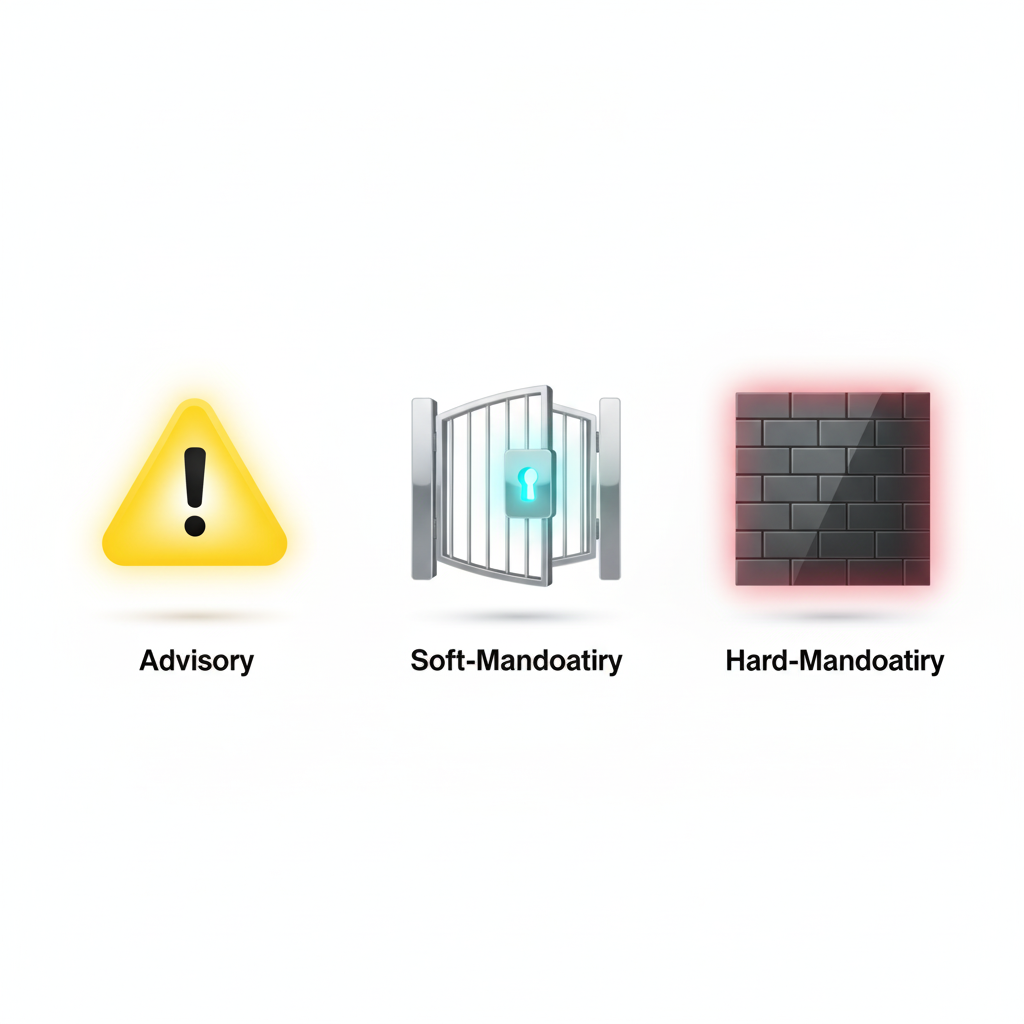
HashiCorp Sentinel is a powerful policy-as-code framework that integrates directly into Terraform Cloud and Enterprise, providing a robust mechanism for enforcing governance, security, and cost-control measures. By writing policies in Sentinel's purpose-built language, you can create automated guardrails that are checked between the plan and apply stages of a Terraform run, preventing out-of-policy infrastructure from ever being provisioned.
Understanding Sentinel's Role in Cost Management
Within a Terraform Cloud workflow, Sentinel policies are evaluated after the plan and cost estimation phases are complete. This gives the policy engine access to a rich set of data, including the proposed infrastructure changes and their estimated cost impact. If a policy check fails, the run is halted, preventing the apply from proceeding.
Sentinel policies for cost management typically leverage two key data imports:
tfplan/v2: Provides access to the full Terraform plan, including all resource attributes that are being created or modified.tfrun: Contains data associated with the run in Terraform Cloud, including the output from the integrated cost estimator.
Example Sentinel Policies for Cost Control
1. Enforce a Maximum Cost Increase
This policy checks the estimated monthly cost increase and fails if it exceeds a predefined threshold (e.g., $500).
File: enforce-budget-threshold.sentinel
Code snippet
import "tfrun"

# Parameter for the maximum allowed monthly cost increase
param max_monthly_increase default 500

# Rule to check if the cost delta is within the allowed limit
cost_is_acceptable = rule {
    tfrun.cost_estimate.delta_monthly_cost <= max_monthly_increase
}

# Main rule: the run is allowed only if the cost is acceptable
main = rule {
    cost_is_acceptable
}
How it works: This policy imports the tfrun data, which contains the cost_estimate block. It compares the delta_monthly_cost to the max_monthly_increase parameter. If the increase is too high, the cost_is_acceptable rule evaluates to false, causing the main rule to fail and block the run.
2. Require Mandatory Cost Allocation Tags
This policy enforces the presence of specific tags on all taggable resources.
File: require-cost-tags.sentinel
Code snippet
import "tfplan/v2" as tfplan

# Find all resources that are being created or updated
find_resources = func() {
    resources = {}
    for tfplan.resource_changes as address, rc {
        if rc.mode == "managed" and not rc.change.actions contains "delete" {
            resources[address] = rc
        }
    }
    return resources
}

# Rule to ensure all resources have an 'owner' and 'cost-center' tag
mandatory_tags_present = rule {
    all find_resources() as _, r {
        (r.change.after.tags.owner else "") is not "" and
        (r.change.after.tags["cost-center"] else "") is not ""
    }
}

main = rule {
    mandatory_tags_present
}
How it works: This policy uses the tfplan import to inspect all resource_changes. The find_resources function filters for any managed resources that are not being deleted. The mandatory_tags_present rule then iterates through these resources and verifies that the owner and cost-center keys exist in the tags map of the planned state (change.after).
3. Restrict Expensive EC2 Instance Types in Non-Production
This policy helps control costs in development and staging environments.
File: restrict-dev-instance-types.sentinel
Code snippet
import "tfplan/v2" as tfplan
import "strings"

# Allowed instance types for non-production environments
param allowed_types default ["t3.micro", "t3.small", "t3.medium"]

# Find all EC2 instances being created or updated
aws_instances = filter tfplan.resource_changes as _, rc {
    rc.type is "aws_instance" and
    rc.mode is "managed" and
    not rc.change.actions contains "delete"
}

# Rule to check if the instance type is in the allowed list
instance_type_is_allowed = rule {
    all aws_instances as _, r {
        # This policy only applies if a 'environment' tag is present and is not 'production'
        (r.change.after.tags.environment else "production") is not "production" implies
        (r.change.after.instance_type in allowed_types)
    }
}
main = rule {
    instance_type_is_allowed
}
How it works: This policy filters the plan for all aws_instance resources. The main rule then uses an implies statement: if a resource's environment tag is anything other than production, it must have an instance_type that is in the allowed_types list.
Best Practices for Writing and Managing Sentinel Policies
Start with Advisory Mode: When introducing a new policy, always deploy it with the
advisoryenforcement level first. This will report violations without blocking runs, giving your team time to understand its impact.Modularize and Reuse Logic: For complex policies, break down logic into smaller, reusable functions and rules. HashiCorp provides a library of common functions to help keep your policies DRY (Don't Repeat Yourself).
Test Policies Locally: Use the Sentinel CLI to test your policies against mock data before uploading them to Terraform Cloud.
Use Parameters for Flexibility: Instead of hardcoding values, define them as
paramblocks. This makes your policies more flexible and easier to manage, as you can adjust these values in the Terraform Cloud UI without changing the policy code.Integrate with CI/CD: Policy code should be stored in version control, and changes should go through peer review just like any other code.
Conclusion
HashiCorp Sentinel provides a powerful, natively integrated solution for enforcing cost governance directly within Terraform Cloud. By writing policies that inspect cost estimates, tags, and resource attributes, organizations can build a robust, automated framework for financial control. Starting with simple policies for tagging and budget thresholds, and then gradually introducing more specific rules, you can create a comprehensive safety net that aligns your infrastructure deployments with your financial objectives.
All in One Place
Atler Pilot decodes your cloud spend story by bringing monitoring, automation, and intelligent insights together for faster and better cloud operations.