
The Azure Security Paradigm
Securing Microsoft Azure requires a different mindset than securing AWS or GCP. While the foundational principles of cloud security (least privilege, encryption, network segmentation) remain identical, Azure's deep integration with the broader Microsoft enterprise ecosystem alters the tactical execution.
For organizations already utilizing Microsoft 365 and Windows endpoints, Azure offers a unified security fabric that spans from the user's laptop directly into the cloud hypervisor. This tight integration is Azure's greatest security strength, but failing to configure it correctly can expose both the cloud infrastructure and the corporate network simultaneously.
This guide outlines the critical best practices for architecting a secure Azure environment, focusing on identity management, continuous posture management, and centralized threat detection.
The Core: Microsoft Entra ID (Azure AD)
In Azure, identity is not just a service; it is the fundamental control plane. Microsoft Entra ID (formerly Azure Active Directory) governs access to the Azure portal, M365, and thousands of SaaS applications.
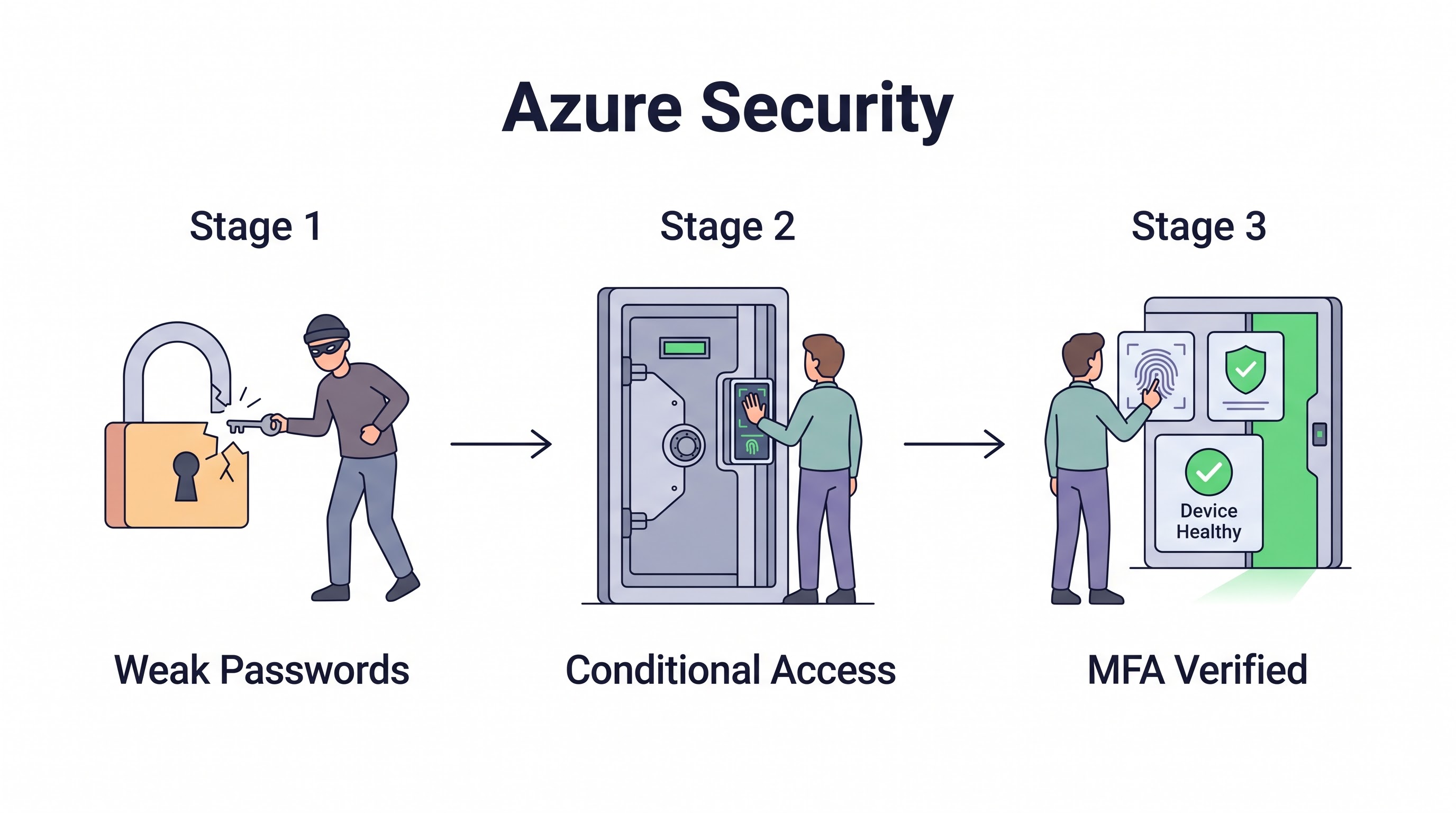
Conditional Access Policies: This is the engine of Zero Trust in Azure. Conditional Access allows you to mandate MFA, block legacy authentication protocols, and require that the device attempting to log in is marked as "compliant" by Microsoft Intune before granting access to the Azure Portal.
Privileged Identity Management (PIM): Never grant permanent
Global AdministratororOwnerroles. PIM enforces Just-In-Time (JIT) access. When an engineer needs to perform a highly privileged task, they request access through PIM, undergo step-up MFA, receive the permissions for a maximum of a few hours, and then the permissions are automatically revoked.Managed Identities: The Azure equivalent of AWS IAM Roles for instances. Never store credentials in Azure VMs or App Services. Assign a System-Assigned Managed Identity to the resource, allowing it to authenticate to Azure Key Vault or Azure SQL securely without exposing credentials.
Governance via Azure Policy
You cannot secure a large Azure environment manually. You must rely on policy-as-code. Azure Policy evaluates your resources against business rules and compliance standards.
While AWS uses Service Control Policies (SCPs) primarily to deny actions, Azure Policy is more versatile. It can:
Audit: Flag non-compliant resources (e.g., "Virtual Machines must use Managed Disks").
Deny: Prevent the creation of non-compliant resources (e.g., "Deny deployment outside of the West Europe region").
DeployIfNotExists: The most powerful feature. If a user creates a new Azure SQL database, Azure Policy can automatically deploy the required auditing and threat protection configurations if they are missing, ensuring continuous compliance.
Network Security: VNets and NSGs
Network security in Azure relies on strict segmentation within Virtual Networks (VNets).
Network Security Groups (NSGs): Apply NSGs to subnets, not individual network interfaces (NICs), to ensure consistent policy enforcement. Adopt a default-deny inbound strategy.
Azure Bastion: Never expose RDP (3389) or SSH (22) directly to the internet. Deploy Azure Bastion, a fully managed PaaS service that provides secure, seamless RDP/SSH connectivity to your VMs directly from the Azure portal over TLS.
Azure Private Link: Similar to AWS PrivateLink, this ensures that traffic between your VNet and Azure PaaS services (like Azure Storage or Azure SQL) travels entirely over the Microsoft backbone network, never touching the public internet.
Microsoft Defender for Cloud (CSPM/CWPP)
Microsoft Defender for Cloud is the central hub for Azure security posture. It combines two critical functions:
Cloud Security Posture Management (CSPM): It continuously scans your Azure subscriptions, comparing configurations against the Azure Security Benchmark (and other frameworks like ISO 27001), providing a "Secure Score" and actionable remediation steps for misconfigurations.
Cloud Workload Protection Platform (CWPP): Defender goes beyond configuration. It installs agents on VMs and Kubernetes clusters (AKS) to provide advanced threat protection, detecting malware, anomalous network traffic, and brute-force attacks in real-time.
Best Practice: Enable Defender for Cloud's enhanced security features on all critical subscriptions, not just the free CSPM tier.
SIEM and SOAR: Microsoft Sentinel
Logs are useless if they are not analyzed. Microsoft Sentinel is a cloud-native Security Information and Event Management (SIEM) and Security Orchestration, Automation, and Response (SOAR) solution.
Sentinel ingests logs from Microsoft Entra ID, Defender for Cloud, Azure Activity Logs, and third-party firewalls. It uses built-in AI to correlate millions of low-level events into a handful of high-confidence security incidents.
Furthermore, Sentinel's SOAR capabilities allow for automated incident response. If Sentinel detects a compromised identity via Entra ID, it can trigger a Playbook (an Azure Logic App) to automatically disable that user's account and block their IP address at the firewall within seconds.
Protecting Data in Azure
Azure Key Vault: Centralize the storage of application secrets, certificates, and cryptographic keys. Integrate Key Vault with Azure App Services using Managed Identities to retrieve connection strings at runtime securely.
Storage Account Security: Disable "Public Blob Access" at the storage account level. Enable "Secure transfer required" (forcing HTTPS). For highly sensitive data, utilize Customer-Managed Keys (CMK) stored in Key Vault rather than Microsoft-managed keys.
Key Takeaway
Azure security thrives on integration. Establish a rigorous identity perimeter using Microsoft Entra ID Conditional Access and Privileged Identity Management. Enforce architectural standards using Azure Policy to prevent misconfigurations automatically. Finally, utilize Microsoft Defender for Cloud and Microsoft Sentinel to provide continuous, AI-driven threat detection and automated incident response across the entire hybrid cloud estate.
All in One Place
Atler Pilot decodes your cloud spend story by bringing monitoring, automation, and intelligent insights together for faster and better cloud operations.